Analytics Guide
Measure Traffic From ChatGPT, Perplexity, Claude and Gemini in GA4
GA4 already records the visits AI tools send you, filed under Referral. Add a custom channel group with one regex and you can see those visits by engine, by landing page and by whether they turned into calls or bookings.
- Year 1Website
- Year 2Map Listings
- Year 3Booking Tool
- Year 4Front Desk
- Year 5Payments
- Year 6Reports
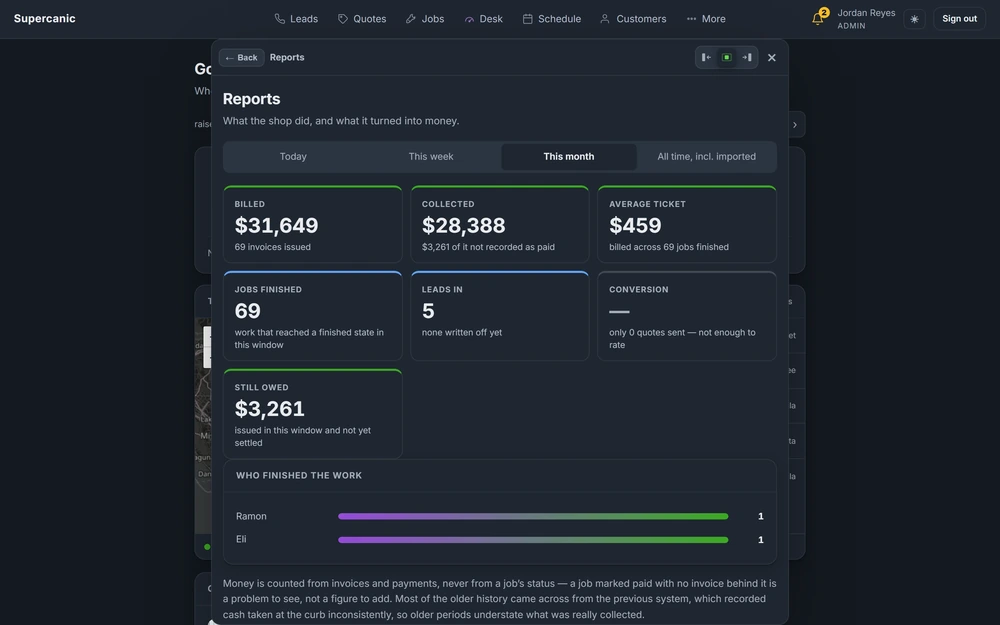
Same six pieces.
Years of lessons, one read.
Free to read. Most of this guide is open. The finishing pieces at the end come to you when you opt in.
The Short Version
- Prompt sampling tools guess at AI visibility. GA4 referral data shows the clicks that really happened.
- One custom channel group with a source regex pulls AI visits out of Referral into their own row.
- The channel must sit above Referral in the list, or GA4 files the visit as Referral first.
- The landing pages AI tools send people to are your proof of what they cite.
- Some AI clicks arrive with no referrer and land in Direct, so treat the count as a floor.
Measure Clicks, Not Guesses
Many AI visibility tools work by asking a chatbot a list of questions and checking if your name comes up. That is sampling. The answers change from one run to the next, and a mention is not a visit. You learn what a bot might say, not what people did.
GA4 records something better. When someone clicks a link in ChatGPT, Perplexity, Claude, Gemini or Copilot and lands on your site, GA4 logs the visit with the source it came from. Those are real people who read an AI answer and chose to come to you. You can see how many, which pages they landed on and whether they called or booked.
The data is already in your property. It is just buried. By default GA4 files these visits under Referral, next to every directory and blog that links to you. This guide pulls them out into their own row.
See the Raw Data First
Before you change anything, look at what is there. In GA4, open Reports, then Acquisition, then Traffic acquisition. Change the main dimension from Session default channel group to Session source. Type ai or chatgpt into the search box above the table.
You will likely see rows like these. The exact names matter, because the regex below has to match them.
Engine       Source values to expect
ChatGPT      chatgpt.com, chat.openai.com
Perplexity   perplexity.ai, www.perplexity.ai
Claude       claude.ai
Gemini       gemini.google.com
Copilot      copilot.microsoft.com, copilot.com
ChatGPT often adds its own tag to links it shows. That tag sets the source to chatgpt.com even when the browser sends no referrer. That is why ChatGPT tends to show up more than the others. It is not always because it sends more people.
The Regex
This pattern matches the sources for the five main AI engines, with or without a subdomain in front. The dots are escaped so a dot means a dot. The start and end anchors mean it matches the whole source and nothing more.
^(.*\.)?(chatgpt\.com|chat\.openai\.com|perplexity\.ai|claude\.ai|gemini\.google\.com|copilot\.microsoft\.com)$The (.*\.)? part at the front lets it match www.perplexity.ai as well as perplexity.ai. The anchors stop it from matching a lookalike such as notclaude.ai.example.net. GA4 uses the RE2 regex engine, which supports everything in this pattern.
Build the Custom Channel Group
A custom channel group is a copy of GA4's default channel list that you can edit. It applies to your past data as well as new data, so you see history the day you make it.
- Go to Admin. Under Data display, open Channel groups.
- Find Default Channel Group and click Copy to create new.
- Name it something plain, such as
Channels with AI. - Click Add new channel. Name it
AI Assistants. - Set the condition to Source, matches regex, and paste the pattern above. Save the channel.
- Click Reorder and drag
AI Assistantsabove Referral. Put it near the top, above Organic Search too. - Save the group.
The order is the part people miss. GA4 checks channels from top to bottom and stops at the first match. A visit from claude.ai matches Referral's rules too. If Referral comes first, the visit is filed there and your new channel stays empty.
Count Calls and Bookings First
Visits alone do not tell you much. You want to know if AI visitors call, book or ask for a quote. GA4 calls those actions key events. If you have none set up, set them up before you judge any channel.
For a local business, three are enough. A tap on a phone link. A form sent. A booking made. Mark each one as a key event in Admin, under Events. A phone tap can be tracked as a click on any link that starts with tel:, using a tag in Google Tag Manager or a few lines of script that send an event.
Give it a couple of weeks to fill in. Then every channel, including your new AI row, shows a key event count next to its visits. That is the number an owner cares about.
Read the Report
Go back to Traffic acquisition. Click the dimension name above the first column and pick your new channel group. AI Assistants now has its own row, with sessions, engaged sessions and key events.
Three questions are worth asking each month.
- Is it growing? Compare this month to last month. A jump usually means an AI tool started citing a page. Find which one.
- Which pages do they land on? Add Landing page as a second dimension. These are the pages AI tools trust enough to link. That list is the most useful output of this whole guide.
- Do they act? Compare the key event rate for AI Assistants with Organic Search. AI visitors have often read a summary already, so they tend to arrive more ready to call.
Learn From the Pages That Get Cited
Open the top two or three landing pages from AI tools and read them with fresh eyes. Look for the pattern. In our experience the cited pages share a few traits. The answer sits near the top in plain words. Headings are clear questions or topics. The page states specific facts, such as times, steps and what is included. It often has an FAQ with matching schema.
That pattern is your recipe. Then find pages that get plenty of Google search traffic but no AI visits. Search Console shows the first part and your new channel shows the second. Rework those pages toward the recipe. Put the direct answer first, tighten the headings and add real questions.
What the Numbers Can and Cannot Tell You
Be honest about what this data is. It is a count of people who clicked a link in an AI answer and arrived with a source GA4 could read. It is not a count of how often AI tools mention you. A tool can name your business in an answer and the person can call you straight from it, without ever visiting the site. That call helps you and never shows up here.
So use the trend more than the total. If AI visits double over three months, something is working, even if the true number is higher. If one page gets most of them, that page is being cited, even if you cannot see every mention.
For a small local business, the AI row may be small at first. That is fine. The landing page list is still worth reading, because it shows you which pages AI tools already trust.
What the Finishing Pieces Contain
The steps above give you a working AI channel in GA4 today. The finishing pieces go further. They hold a wider regex that covers the smaller AI tools too, a Python script that pulls AI sessions by engine and landing page from the GA4 Data API, the exploration setup we use for monthly reviews, and the edge cases that make the numbers wrong. Enter your email to open them. To make the pages AI tools cite easier to quote, read FAQ schema that matches your page.
The finishing pieces
Get the Rest of This Guide
You have the method. The finishing pieces are the parts you copy straight into your own work:
- The Wider Regex
- Pull It With the Data API
- The Monthly Exploration
- Edge Cases and the Monthly Check
Questions People Ask
Can GA4 show how much traffic ChatGPT sends my site?
Yes. ChatGPT visits show up with the source chatgpt.com. A custom channel group puts them and other AI tools in their own row.
Why is my AI traffic lower than I expected?
Some AI apps send clicks with no referrer, so GA4 counts them as Direct. Treat your AI number as the least it could be.
Does this show Google AI Overviews traffic?
No. Clicks from AI Overviews arrive as Google organic, and GA4 cannot tell them apart from regular search clicks.
Will the new channel show my old data?
Yes. Custom channel groups apply to past data, so you see your history as soon as you save it.
Keep Going
Reporting LayerAnalytics and Reporting
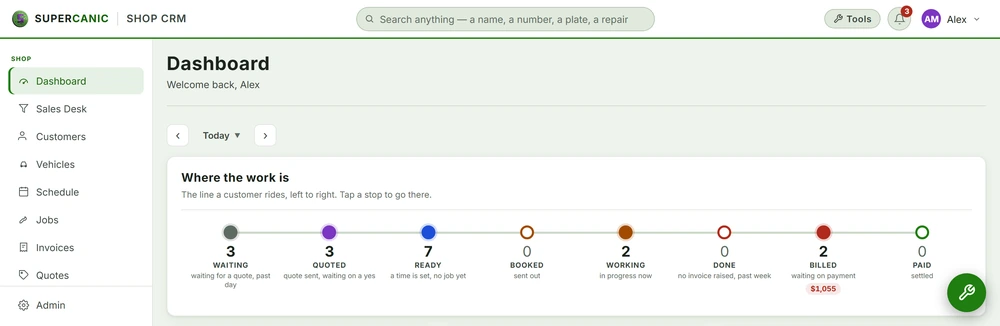
We pull GA4, Search Console, call tracking and your job records into one dashboard, so a visit can be traced to a call and a call to a job. A plain report lands every week and every month without anyone asking for it.
Read itAvenue 7 of 8Reporting That Shows What Actually Happened
You get one dashboard and one short weekly report. Both are built from your real data, and both tell you what is not working as plainly as what is.
Read it Free guideSchema Guide
FAQPage Schema That Matches Your Visible FAQs
Keep real questions and answers on the page, then add FAQPage schema whose text matches what a visitor can read word for word. Build both from one list so they can never drift apart.
Read it Free guideIndexing Guide
Set Up Search Console, Bing Webmaster and IndexNow
Verify your whole domain in Google Search Console with one DNS record, add it to Bing Webmaster Tools, submit a sitemap and send changed pages to IndexNow. This guide includes a working IndexNow script that uses only Python's standard library.
Read itWe sell time
Get Years of Building Switched On in Hours
A thirty minute call. A written price. Nothing built until you say yes.