Avenue 3 of 8
Quoting and Booking Without the Phone Tag
Your customer gets a quote on their phone, reads it, and taps yes. The job lands on a schedule everyone can see. No callbacks to get a verbal okay.
- Year 1Website
- Year 2Map Listings
- Year 3Booking Tool
- Year 4Front Desk
- Year 5Payments
- Year 6Reports
Same six pieces.
Switched on in one day.
The Short Version
- Quotes go out by text and the customer approves them on their phone
- The approval is saved with the time and the quote they approved
- One schedule for the whole team, on any screen
- Shop Desk runs a working auto repair shop every day
- Nothing is booked or charged until the customer says yes
| Software | Shop Desk or RV Shop Desk |
|---|---|
| Quote delivery | Text message link |
| Approval | Customer approves from their phone |
| Database | Postgres with row level security |
| App hosting | Railway |
- RequestCall or textWebsite form
- QuoteBuilt in Shop DeskSent by text
- CustomerReads on phoneApproves the quote
- ScheduleJob gets a timeTech is assigned
- RecordApproval savedHistory kept
Where the Hours Go Today
Here is an example week at a small shop that quotes by phone.
- Monday. The service writer finds a worn belt during an oil change. She calls the customer three times before lunch. The car sits on the lift the whole time.
- Tuesday. A customer says he never approved the extra work. There is no record, only a memory of a phone call.
- Wednesday. Two techs show up for the same job because the paper schedule and the whiteboard disagree.
- Thursday. A quote gets written on the back of a work order and lost.
- Friday. The owner stays late to type up quotes he talked through all week.
Every one of those is a wait. The bay waits for the customer. The customer waits for a callback. The owner waits until everyone goes home to do the paperwork.
What We Run Instead
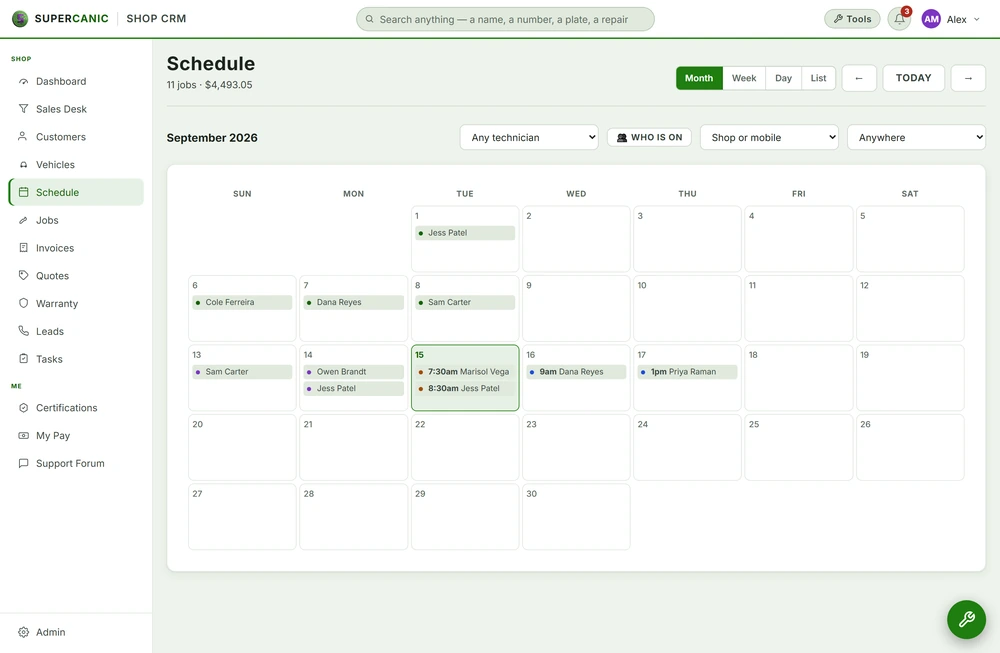
You build the quote once in Shop Desk. The customer gets a text with a link. They open it and see the work in plain words, with what it costs and why it is needed. They approve the quote from their phone.
The approval is saved with the time and the quote they saw. If a question ever comes up later, you have the record. Nobody has to remember a phone call.
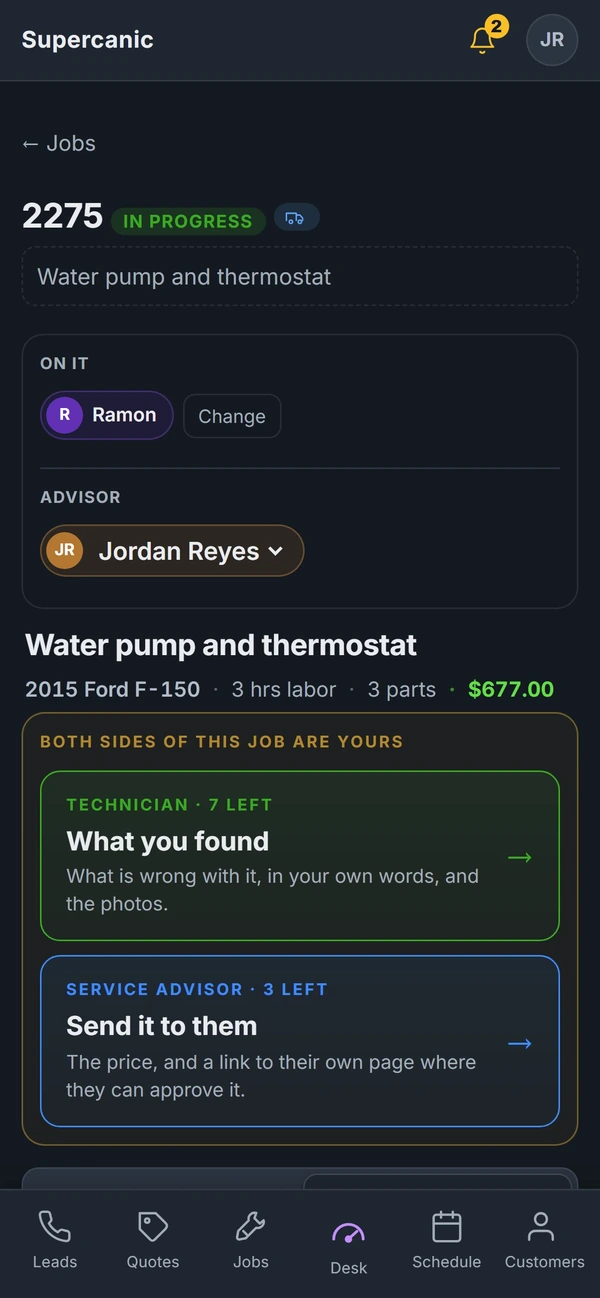
Once the work is approved, the job goes on the schedule. Everyone on the team sees the same schedule, on the counter screen, a phone or a tablet in the bay. When a tech finishes, the next job is already there.
If your customers book online, the booking goes into the same schedule. No second calendar to copy from.
For RV repair, RV Shop Desk works the same way, with the fields an RV shop needs.
The Stack Underneath
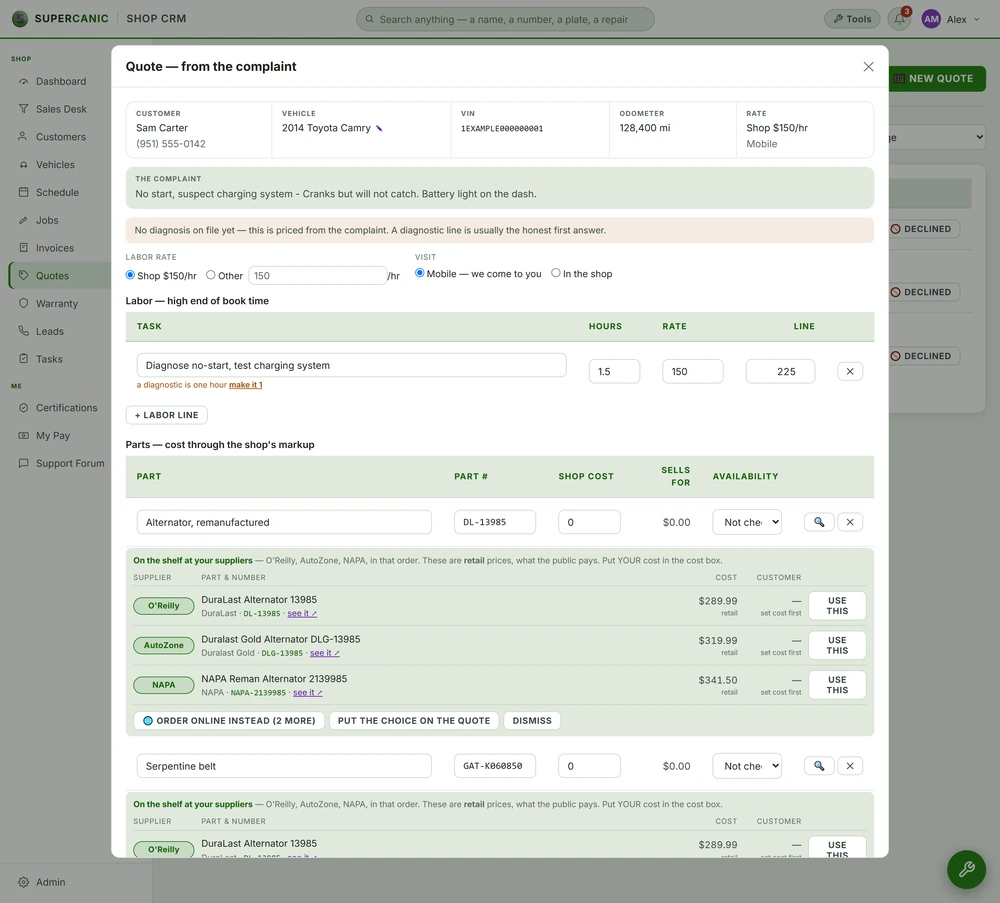
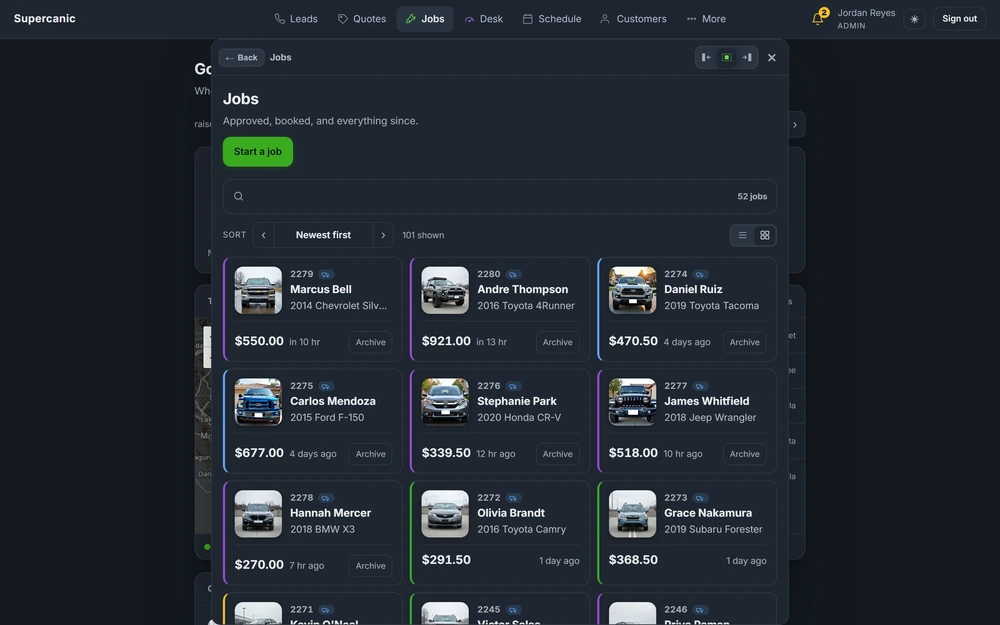
Shop Desk is not a demo. It runs Supercanic, a working auto repair shop, every day. The quote screens and approval links you get are the ones that shop uses with its own customers at its own counter. The Shop Desk build page shows how it came together.
Under the screens:
- Postgres with row level security. Each shop only sees its own customers and jobs. The database enforces that, not just the screen. See Postgres and row level security.
- App hosting on Railway. The app runs on Railway so it stays up and updates without an install on your computers. See app hosting on Railway.
- Text delivery through your phone line. Quote links go out on the same number your customers already know.
We test saves by saving, not by reading the code. A form that says "saved" and saves nothing is a real failure we have seen and now check for.
A Quote From the Customer's Side
Here is what it is like to get a quote, from the phone of an example customer.
Her car is on the lift for brakes. The tech finds a leaking hose too. The service writer adds both to the quote and sends it. Her phone buzzes with a text from the shop's number. It says the quote is ready and has one link.
She opens it at her desk. The brakes are listed first, with a short note on why they need doing and the price. The hose is next, with its own note and price. The total is at the bottom.
She reads it over and approves the quote from her phone. The shop sees it right away and the tech gets to work. If she had wanted to skip the hose for now, she could reply to the text and the service writer would send a new quote.
Nobody called her. Nobody waited on hold. She did not have to picture a part she has never seen, because the note told her what it does.
If she had a question, she could reply to the text. That reply goes to the service writer, not to a bot.
What Switching It On Looks Like
- Hour 1. We talk through how you quote today. What do you charge for labor? Which parts do you mark up? Who approves what?
- Hour 2. We set up your shop in Shop Desk with your name, hours, labor rate and team.
- Hour 3. We bring in your customer list if you have one. We set up your common jobs so quotes are quick to build.
- Hour 4. We connect your phone line so quote links go out from your number.
- Hour 5. We send a test quote to your own phone. You approve it. We check the record and the schedule.
- Hour 6. We walk your team through the counter screen and the bay view. Then you start using it on real jobs.
What We Will Not Promise
We will not promise that every customer approves by text. Some people still want to talk. Your team can call them, and the quote is still there to walk through.
We will not set prices for you. The labor rate, the markup and the lines on each quote are yours. Shop Desk makes them fast to write. It does not decide them.
We will not move your old records without checking them first. If your current software exports clean data, we bring it in. If it does not, we tell you what we can bring and what we cannot before we start.
If you already use shop software you like, we can work around it instead. We tell you honestly on the first call whether switching is worth your time.
Once the job is done, the next step is getting paid. See getting paid.
Questions People Ask
Do my customers need an app to approve a quote?
No. They get a text with a link. It opens in the phone's browser and they tap to approve.
Is Shop Desk only for auto repair?
Shop Desk is built for auto repair and RV Shop Desk for RV repair. For other trades we set up quoting and booking in the CRM instead.
Can I bring my customer list from my old software?
Usually yes. We check the export first and tell you what will come over cleanly before we move anything.
What if a customer says they never approved something?
Each approval is saved with the time and the quote they approved, so you can show them.
Keep Going
 Build · Shop Software
Shop Desk, the Software That Runs Our Own Repair Shop
Shop Desk is the software that runs Supercanic, our own working auto repair shop, every day. It takes a job from the first missed call to the paid invoice, and every rule in it came from a real day on the floor.
Read it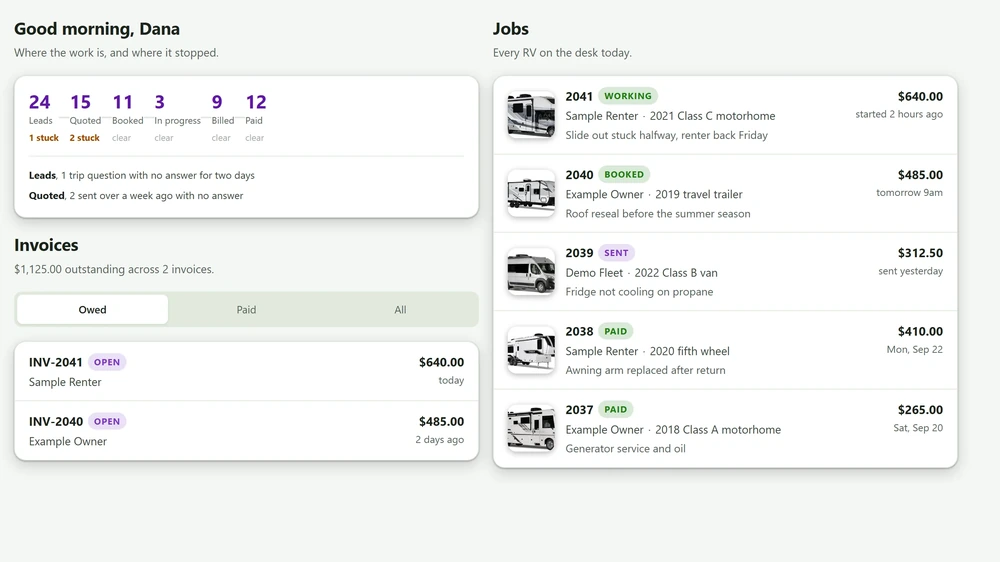 Build · RV Service
RV Shop Desk, the Same Desk Shaped for RV Service
RV Shop Desk is the desk that runs our own auto repair shop, shaped for RV service. It quotes, gets the owner's approval on their phone, schedules, invoices and collects, and its front desk answers texts and missed calls.
Read it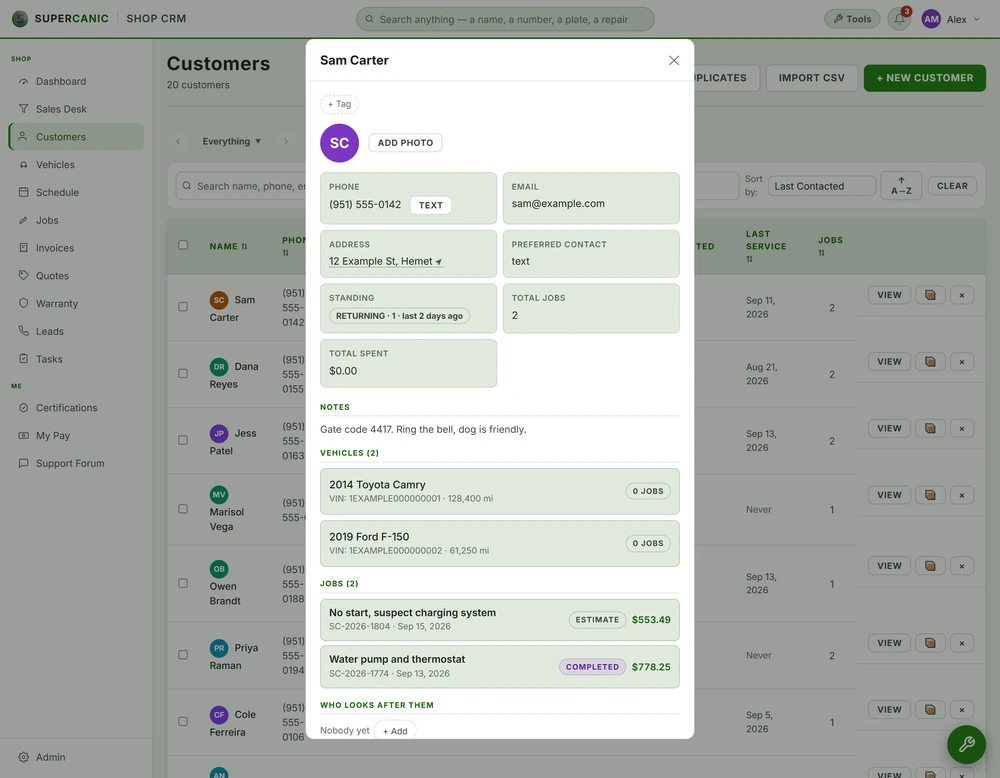 Data Layer
Postgres and Row Level Security on Supabase
Your data lives in Postgres on Supabase, with row level security switched on for every table and the public key shut out. We prove each rule by signing in as a real user and asking, not by reading the code that set it up.
Read it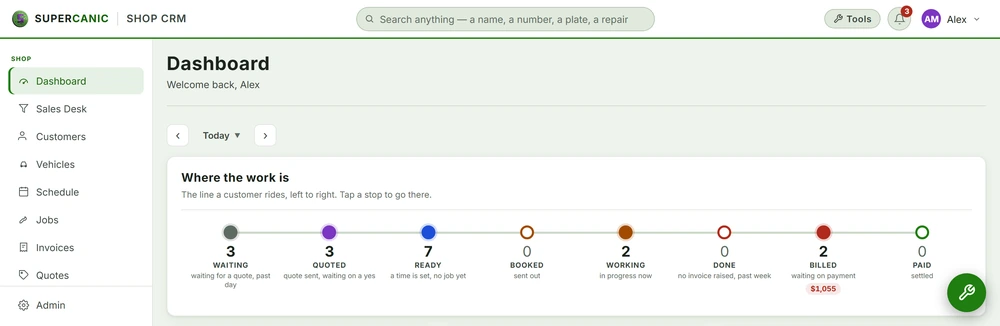 App Layer
App Hosting on Railway
The apps your staff sign into, like Shop Desk, run as Node services on Railway and ship every time the main branch changes. When a deploy goes wrong, we read the real build log first and guess second.
Read itWe sell time
Get Years of Building Switched On in Hours
A thirty minute call. A written price. Nothing built until you say yes.