Video Guide
Make a Software Training Video With an AI Voiceover
A good training video shows the real screen and speaks in one steady voice. Capture the screens with Playwright, record the whole script as one ElevenLabs take, and check every take with Whisper before it ships.
- Year 1Website
- Year 2Map Listings
- Year 3Booking Tool
- Year 4Front Desk
- Year 5Payments
- Year 6Reports
Same six pieces.
Years of lessons, one read.
Free to read. Most of this guide is open. The finishing pieces at the end come to you when you opt in.
The Short Version
- Record the whole script as one continuous take. Stitched lines sound like a machine.
- Spell numbers as words and never end a statement on a rising note.
- Use stability 0.75, style 0 and speed 1.0 for a calm, even read.
- Transcribe every take with Whisper and compare it to the script before you use it.
- Training videos get captions and a voice. No music.
What a Training Video Is For
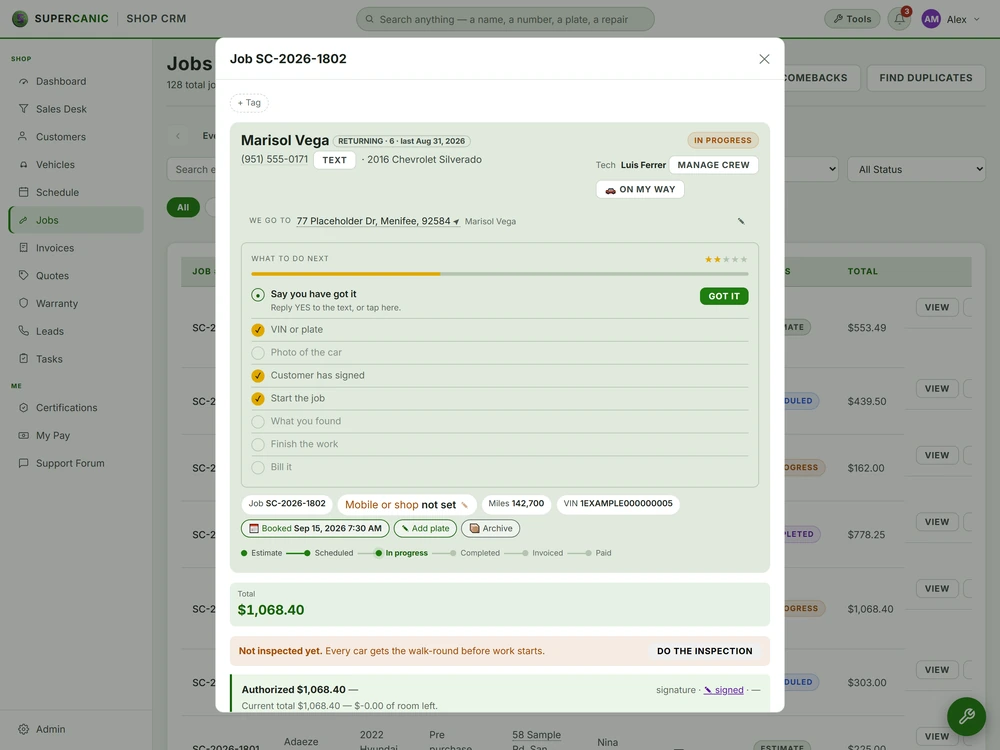
A training video has one job. A new person watches it and then does the task on their own. Everything in this guide serves that job. Real screens, so what they see matches what they will click. A calm voice, so they can follow while they look. Captions, so they can watch with the sound off at the front desk. No music, because music fights the voice and makes steps harder to hear.
An AI voice makes this cheap enough to redo when the software changes. That matters more than the voice itself. A video you can rebuild in an hour stays true. A video that took a week to record goes stale and nobody fixes it.
Capture Real Screens With Playwright
Do not film a mockup. Do not film your own screen by hand, either. Hand recordings wobble, catch pop ups, and cannot be redone the same way twice.
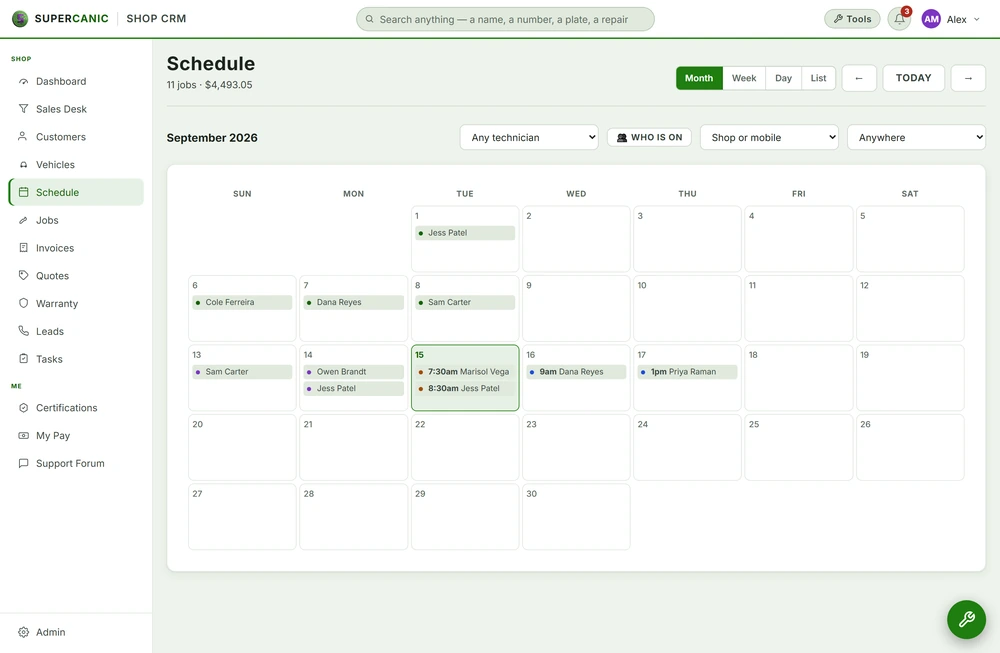
Use Playwright to drive the real app and record it. Playwright is a free tool that opens a browser, clicks where you tell it, and saves a video of the tab. Because the steps are code, you can run them again after every update and get the same shots.
Set these up before you record:
- A fixed window size, like 1920 by 1080, so every clip lines up.
- A demo account with made up customers, jobs and numbers. Never film real customer data.
- Slow, human pacing. Add a short wait after each click so the viewer can see what changed.
- One clip per step. It is easier to match a clip to a line of script than to cut a long one.
Walk each flow once by hand first. Write down every click. That list becomes both your Playwright steps and the spine of your script.
Turn the Click List Into a Script
Each click on your list becomes one short paragraph of script. Start with why the step matters, then say what to click, then say what the viewer should now see. That last part is the one people leave out, and it is the one that tells a new person they did it right.
Here is what one step looks like when it is done.
When a customer calls to book, start a new job. Click Add Job at the top of the board. A blank job card opens on the right. Type the customer's name in the Customer name box. Then click Save. The card moves to the Booked column, and the customer gets a text with the time.
Notice what it does not do. It does not explain every field. It does not say how the feature was built. It does not use words like simply or just, which make a stuck viewer feel slow. It names the button, says what happens, and moves on.
Keep each video to one task. A video called How to Book a Job is one someone will find and finish. A video called Everything About the Board is one they will skip.
Write the Script for the Ear
A script that reads well on paper can sound strange out loud. Four rules fix most of it.
- Spell numbers as words. Write two hundred and twenty five, not 225. An AI voice may read digits one at a time, or read a year as a price. Words leave nothing to guess.
- Never write a statement shaped like a question. A line like so you click save, right, makes the voice rise at the end. It sounds unsure. Say you click save.
- Keep sentences short. One step per sentence. Say what to click and what happens next.
- Name what is on screen. Use the exact button label. If the button says Add Job, the voice says Add Job.
Read the script out loud once yourself. Any spot where you stumble is a spot the voice will stumble too.
Record One Continuous Take
This is the rule people break most. It is tempting to send each line to ElevenLabs on its own and join the clips. Do not. Each request starts fresh. The pitch resets, the pace shifts, and the breath between lines is wrong. Joined together, it sounds like a phone menu.
Send the whole script as one request. The voice then carries its tone and pace from line to line like a person would. Use a blank line between steps so the voice pauses there.
Use these settings. They give a calm, even read that suits teaching.
- Stability 0.75. Lower values wander in pitch. Higher values go flat.
- Style 0. Style adds drama, and training needs none.
- Speed 1.0. Slower sounds sleepy and faster loses new staff.
Pick one stock voice and keep it for every video in a series. A new voice in video three makes the set feel like it came from different places.
If the script is long, still send it as one take if your plan allows it. If you must split, split at a section break, never inside a step, and keep the same settings for every part.
Check Every Take With Whisper
AI voices misread things. They skip a word, say a number wrong, or say a brand name in a way no one would. You will not catch every slip by ear, because you already know what it should say.
So let a machine listen. Whisper is a free speech to text model. Run the take through Whisper and compare its transcript to your script, word by word. Every place they differ is a place to listen closely. Most are fine. Some are a misread you would have shipped.
When a take has a misread, fix the script, not the audio. Spell the word the way it sounds, or reword the line. Then record the whole take again. Patching one word into a take brings back the stitched sound you worked to avoid.
Add Captions and Put It Together
Whisper gives you timing for each phrase, so the same run that checks the take also gives you captions. Save them as an SRT file. Use your script's spelling in the captions, not Whisper's, so names and labels match the screen.
Then line up the clips with the voice. Each step's clip starts when the voice starts that step. If a clip is short, hold its last frame. If it is long, trim the waits. Burn in the captions or ship the SRT beside the video, based on where it will play.
Do not add music. Not soft music, not intro music. It makes a quiet voice harder to hear and adds nothing a learner needs.
What the Finishing Pieces Contain
You can make a solid training video from the steps above. The finishing pieces give you the code: a Playwright capture script with pacing built in, the ElevenLabs request with these exact settings, and a Whisper check that prints every word that differs and writes the caption file. They also cover the misreads that bite most often, and the checklist we run before a video goes to staff. Next, see the whole pipeline in our training film build.
The finishing pieces
Get the Rest of This Guide
You have the method. The finishing pieces are the parts you copy straight into your own work:
- A Playwright Capture Script With Pacing
- The ElevenLabs Request and the Whisper Check
- Putting the Clips and the Voice Together
- Misreads That Bite and the Final Check
Questions People Ask
Why not record each line on its own and join them?
Each request starts the voice fresh, so the pitch and pace reset on every line. Joined together it sounds robotic. One continuous take keeps the tone steady.
Should a training video have background music?
No. Music competes with the voice and makes steps harder to hear. Use a clear voice and captions only.
How do I stop the AI voice from reading numbers wrong?
Spell every number as words in the script. Then run the take through Whisper and compare it to the script to catch anything that still came out wrong.
What if the software changes after I make the video?
Update the Playwright steps and the script, then capture and record again. Because both are saved as files, a rebuild takes an hour or so, not a week.
Keep Going
Build · VideoThe Training Film Pipeline That Films Real Software
Our training films show the real software on screen, driven by a script, with one steady voice and clear captions. Every take is checked by a second machine before anyone watches it, and there is no music.
Read it Video Layer
The Video and Voice Pipeline
We film real software screens with a script, not a person clicking and hoping. One steady voice take reads the words, Whisper checks every take before it ships, and captions go on every film.
Read it Avenue 6 of 8
Content and Video That Answer Real Questions
Your site gets a steady stream of short articles that answer what your customers ask. Your team and customers get walkthrough videos with clear voiceover and captions. You do not have to film or write any of it.
Read itWe sell time
Get Years of Building Switched On in Hours
A thirty minute call. A written price. Nothing built until you say yes.