Avenue 4 of 8
Getting Paid the Day the Job Is Done
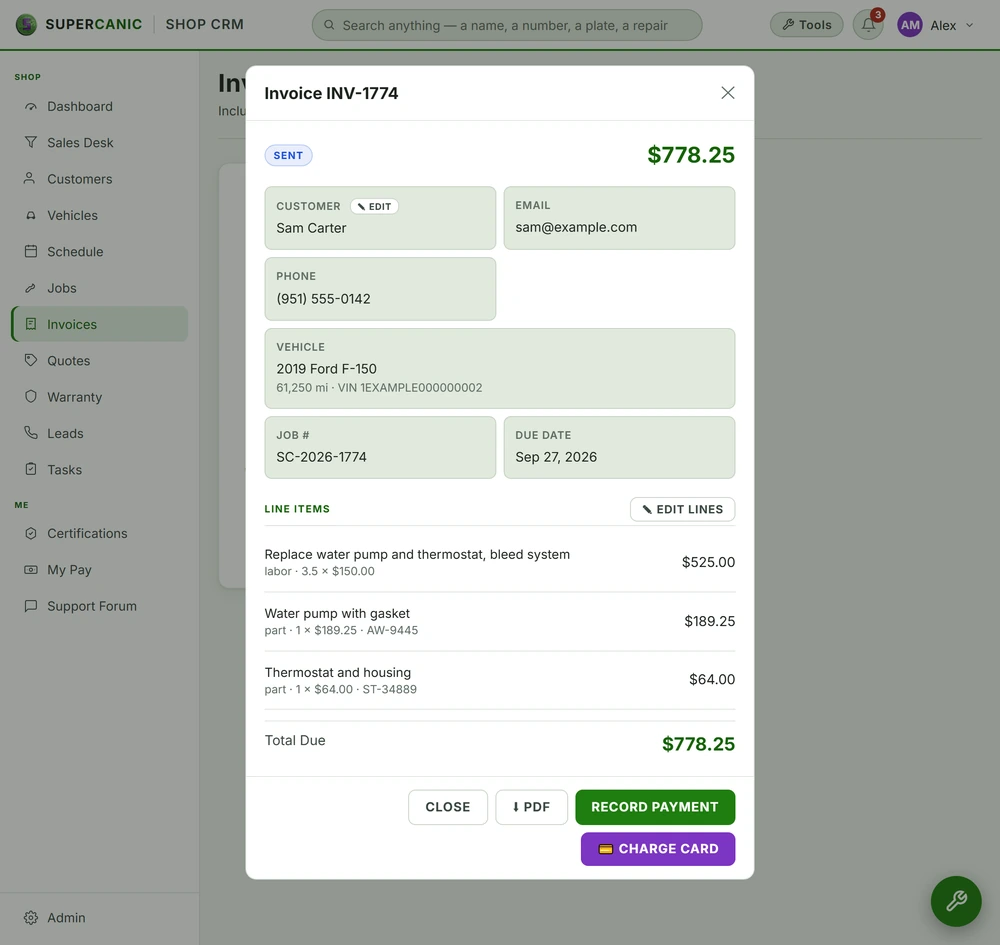
When the job is marked done, the invoice goes out with a link to pay by card. The customer pays from their phone and you see it right away.
- Year 1Website
- Year 2Map Listings
- Year 3Booking Tool
- Year 4Front Desk
- Year 5Payments
- Year 6Reports
Same six pieces.
Switched on in one day.
The Short Version
- The invoice is built from the approved quote, so the numbers match
- A card payment link goes out by text the moment the job is done
- You see what is paid and what is still open on one screen
- Payment problems tell the customer what to do next, in plain words
- We never tell a customer a payment went through unless it did
| Invoice source | The approved quote |
|---|---|
| Delivery | Text and email link |
| Card payments | Stripe or your current processor |
| Records | Postgres, per shop |
| Open balances | One screen, sorted by age |
- JobMarked done by the tech
- InvoiceBuilt from the quoteSent by text
- CustomerOpens linkPays by card
- ProcessorCard is chargedResult sent back
- Your booksMarked paidOpen list updated
Where the Hours Go Today
Here is an example week for a small business that bills at the end of the week.
- Monday. Four jobs finished last week are still not invoiced. The owner means to get to them tonight.
- Tuesday. A customer picks up their car and asks to pay later. Nobody writes it down.
- Wednesday. The owner types invoices from handwritten notes. One total does not match the quote.
- Thursday. A card reader drops its connection. The customer leaves and says they will call in the card number.
- Friday. The owner goes through the bank app to figure out who paid.
Money that sits unbilled is money you might not collect. The longer an invoice waits, the less likely it gets paid in full. And the owner is doing it at night, after a full day of work.
What We Run Instead
The invoice is built from the approved quote. The work the customer approved becomes the work on the bill. If the tech added work, it had to be approved first, so it is already there.
When the tech marks the job done, the invoice goes out by text with a link. The customer opens it, sees each line, and pays by card on their phone. They do not have to come back to the counter or read a card number over the phone.
You see every open invoice on one screen, oldest first. A customer who has not paid gets a polite reminder. You choose when and how many.
If a payment fails or hangs, the customer sees a clear message about what to do next. We do not tell them to "try again" when the first try may have gone through. A double charge is worse than a slow one.
The Stack Underneath
Invoices live in the same database as the quote and the job. That is why the numbers match. It is Postgres with row level security, so each business only sees its own money. See Postgres and row level security.
Card payments go through a processor. For new setups that is usually Stripe. If you already have a processor you like, we connect it instead of making you switch. The card number never touches our screens. The customer types it into the processor's own form.
Reminders run on a schedule. Scheduled jobs are easy to get wrong. A job can look healthy and send nothing. We check that reminders actually go out, not just that the job ran. Our automation and scheduling page shows how, and the guide on scheduled jobs that run goes deeper.
For shops, all of this is built into Shop Desk, which Supercanic uses at its own counter every day.
What the Customer Sees
The customer gets a text from your business line. It says the work is done, gives the total, and has one link. Nothing else.
The link opens a page with your name at the top. Below that is the work they approved, with the price of each part. Then any tax, then the total. At the bottom is a button to pay by card.
When they tap it, the processor's own card form opens. They type the card, tap pay, and see a receipt. A copy of the receipt goes to their phone and email.
On your side, the invoice flips from open to paid. If the customer is at the counter, your service writer sees it change on the screen while they are still standing there.
If they do not pay, nothing happens until the reminder you picked. It is short and polite. It says the amount, has the same link, and gives a way to reach a person if there is a question about the bill.
Nothing on the page is a surprise. Every line on the invoice was already on the quote they approved. That is the whole point. The fastest way to get paid is a bill the customer already agreed to.
What Switching It On Looks Like
- Hour 1. We talk through how you bill today. Who sends invoices? Which payment methods do you take? What does a customer who owes money hear from you now?
- Hour 2. We connect your card processor, or set up a new one if you do not have one. You sign the processor's own agreement yourself.
- Hour 3. We set up your invoice with your name, terms and tax rules.
- Hour 4. We write the invoice text and the reminder text in your words. You decide when reminders go out.
- Hour 5. We send a real test invoice to your phone and pay it with a small charge. We check that it shows paid on your screen, then refund it.
- Hour 6. Your team marks their first real job done and the invoice goes out.
What We Will Not Promise
We will not promise that every invoice gets paid. A payment link makes it easy. It does not make it certain. Some customers will still pay late, and some will need a phone call.
We will not handle your money. Payments go from your customer to your processor to your bank. We do not hold funds and we never see card numbers.
We will not chase debts or send collections notices. Reminders stay polite, and anything past that is your call.
We will not tell a customer or you that a payment worked when we do not know. On money, we only say what the processor has confirmed.
After the payment, the next step is keeping that customer. See following up.
Questions People Ask
Do I have to switch card processors?
No. If you already have one that works, we connect it. If you do not, we help you set one up and you sign its agreement yourself.
Do you ever see my customers' card numbers?
No. Customers type their card into the processor's own form. The card number never passes through our screens.
Can customers still pay at the counter?
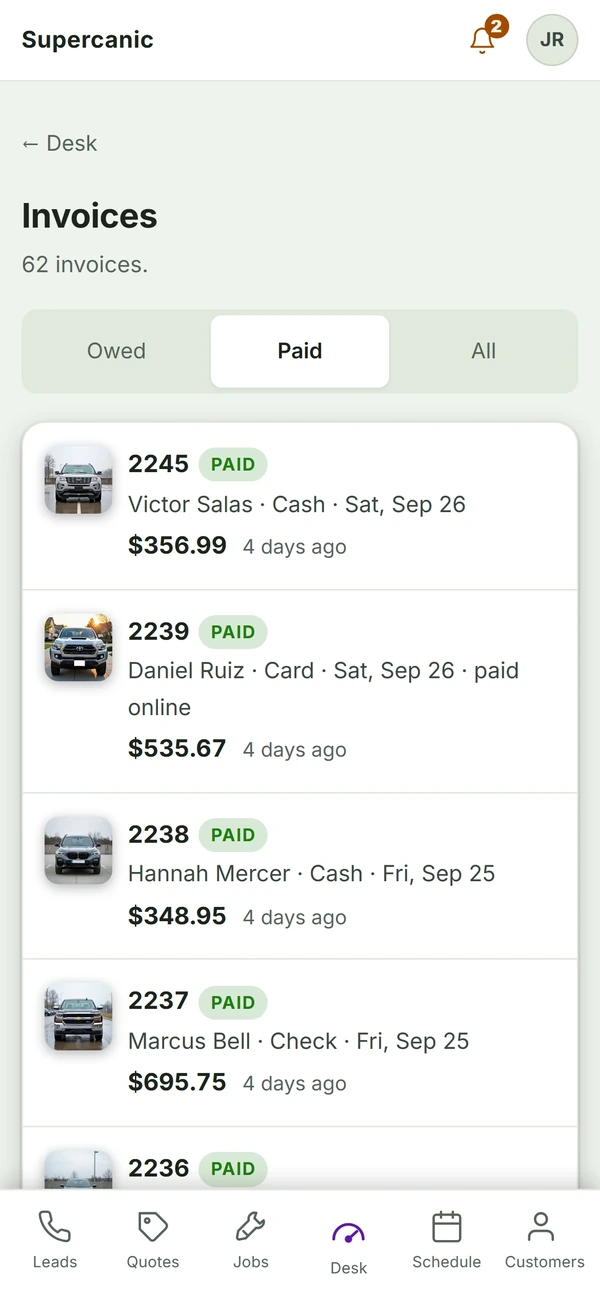
Yes. The payment link is one more way to pay. Cash, check and card at the counter still work and get marked on the same invoice.
What happens if a payment fails?
The customer sees what to do next in plain words, and the invoice stays open on your screen so you can follow up.
Keep Going
 Build · Shop Software
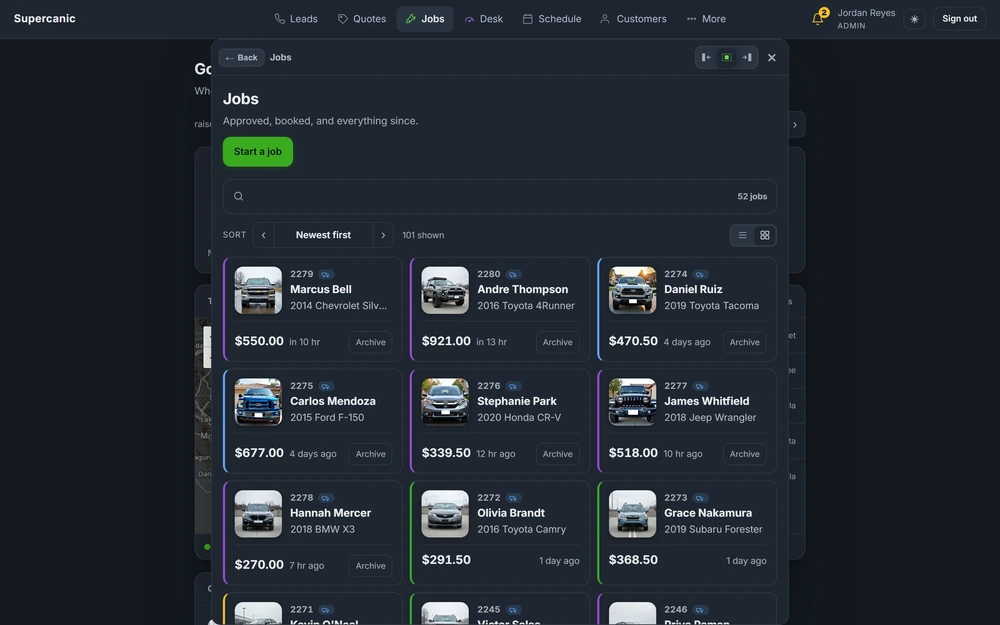
Shop Desk, the Software That Runs Our Own Repair Shop
Shop Desk is the software that runs Supercanic, our own working auto repair shop, every day. It takes a job from the first missed call to the paid invoice, and every rule in it came from a real day on the floor.
Read it Data Layer
Postgres and Row Level Security on Supabase
Your data lives in Postgres on Supabase, with row level security switched on for every table and the public key shut out. We prove each rule by signing in as a real user and asking, not by reading the code that set it up.
Read it Automation Layer
Automation and Scheduling in Three Tiers
Every scheduled job runs in one of three places, and each place fails in its own way. Customer work runs on server cron or inside the request itself, never on a laptop that might be closed.
Read itFree guideAutomation GuideScheduled Jobs That Actually Run When Nobody Is Watching
A scheduled job is only done when it runs on a night nobody checks. Put each job in the right tier, fix the defaults that stop it, and alarm on what it produced, not on whether it ran.
Read itWe sell time
Get Years of Building Switched On in Hours
A thirty minute call. A written price. Nothing built until you say yes.